
Turn mapped work into answers you can investigate.
Ask WorkflowMind connects information across the processes in one client workspace. Explore effort, waiting, systems, responsibilities and improvement opportunities, with references back to the maps and steps behind each answer.
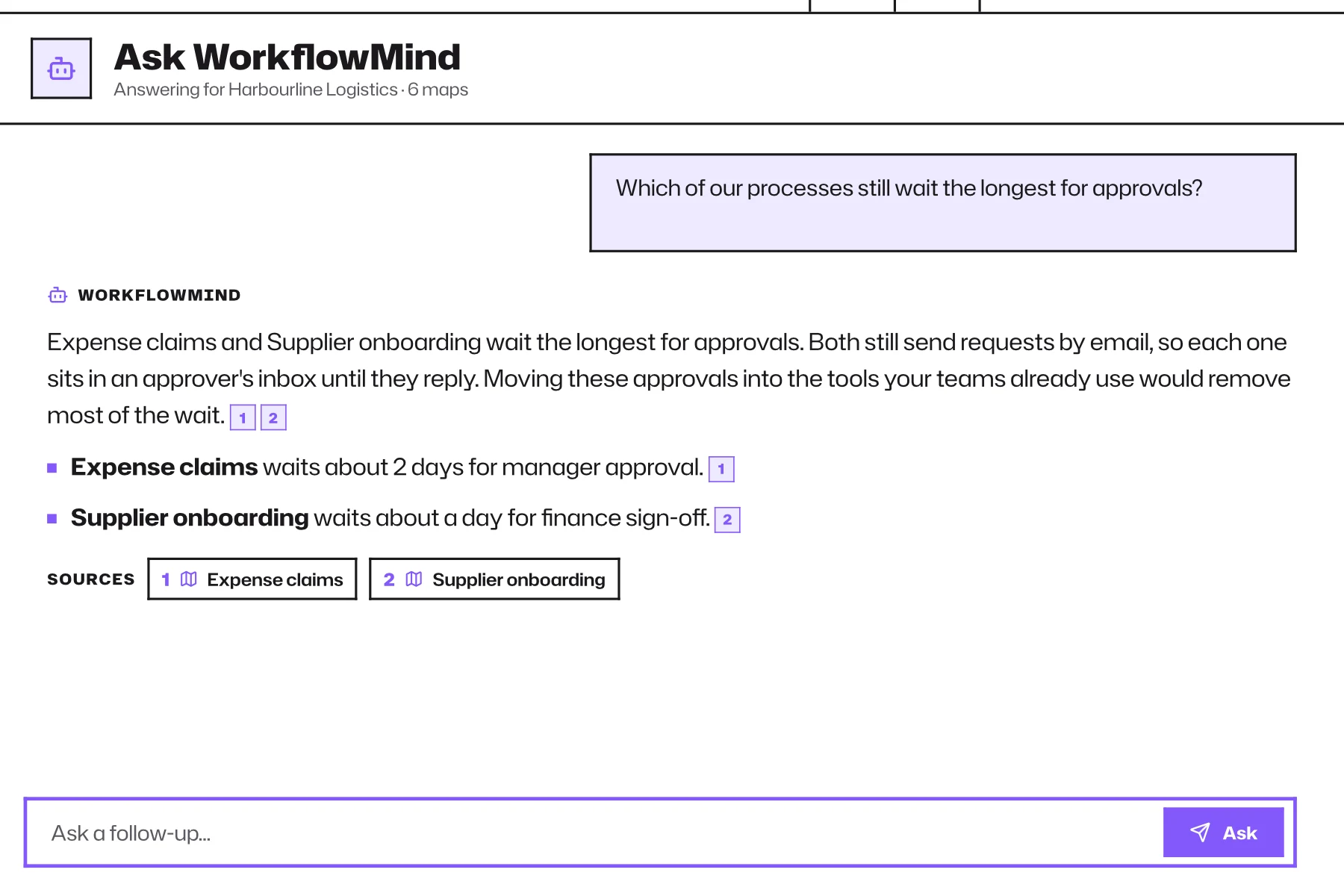
Ask questions that cross process boundaries.
Where do we spend the most time?
Review effort and waiting across mapped work.
Where do we depend on one person?
Explore concentrated responsibilities and operational risk.
Which systems matter most?
See where tools and processes are connected.
What still needs investigation?
Surface open review items and possible improvements.
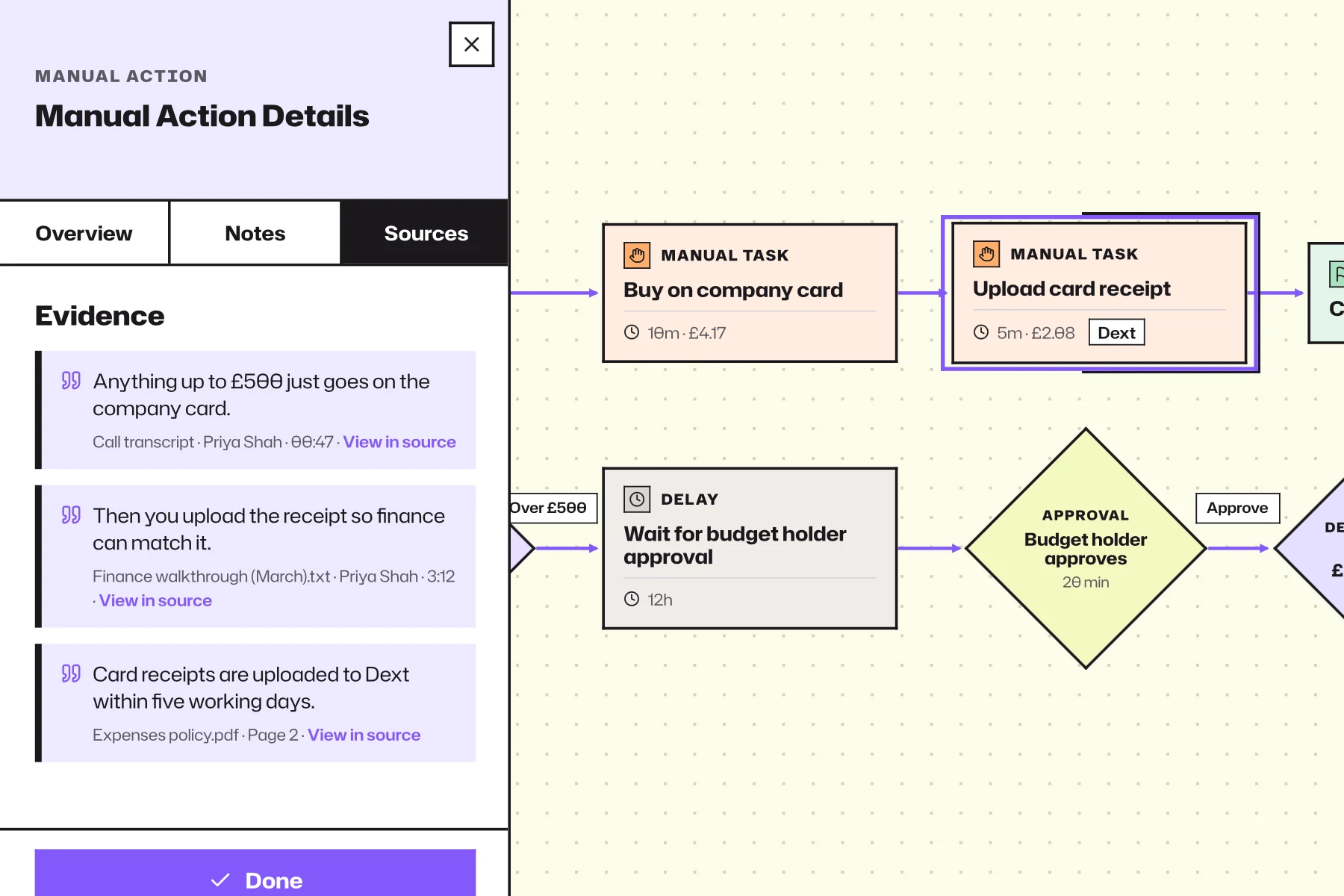
Don't stop at the answer. Follow the evidence.
Open cited maps and steps, inspect the detail and decide what the finding means for your client. Good advice comes from understanding the basis of the answer, not just accepting it.
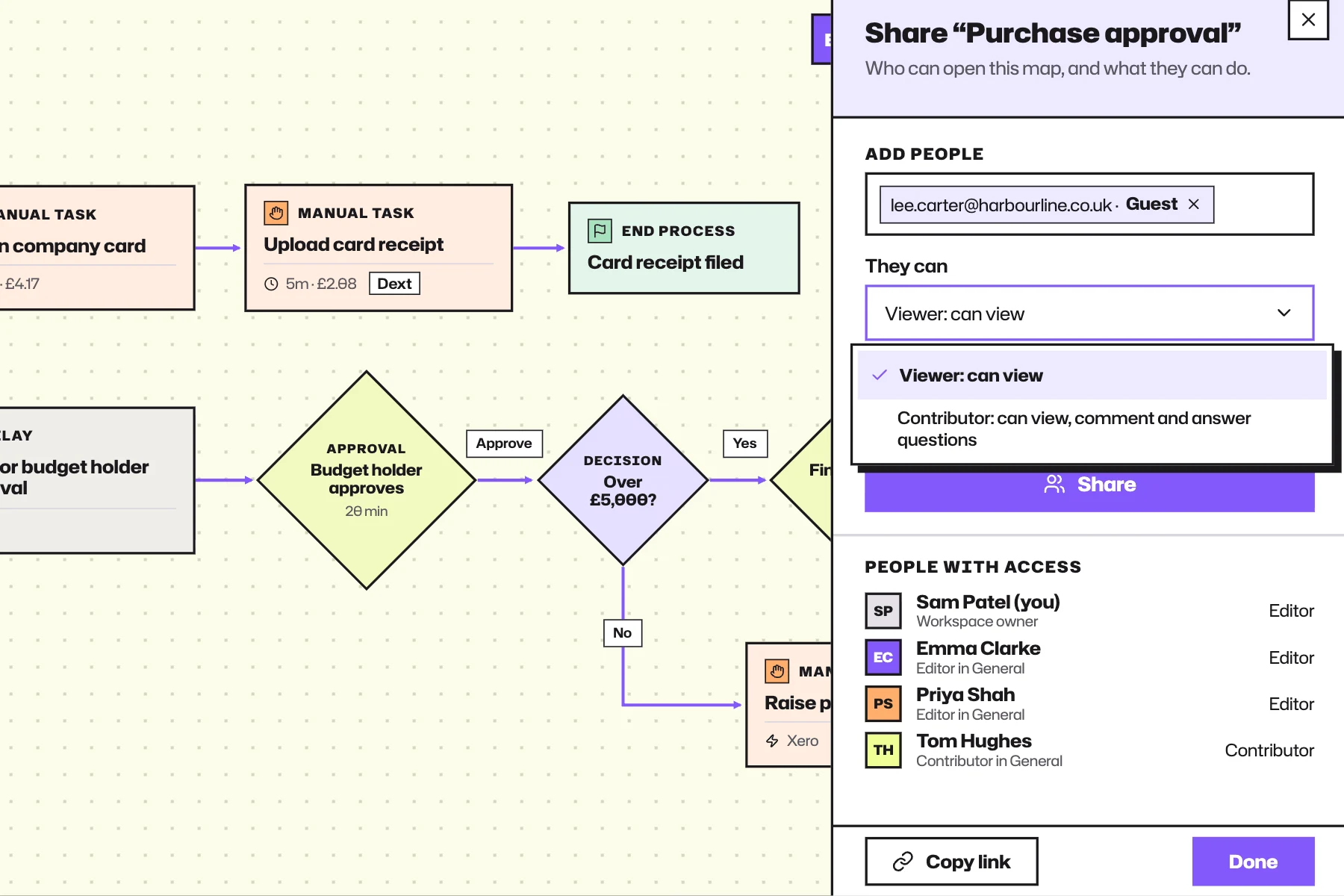
Each client's operational picture stays separate.
Ask WorkflowMind works within the active workspace and its permissions. A consultant can ask questions about one client's operation without pulling another client's context into the answer.
Make your next engagement last beyond the report.
Capture the real work, connect the evidence and leave your client with a clearer understanding they can keep building on.