
Turn the operational picture into a case for change.
Connect the mapped work to time, cost, volume and dependencies. Explore what might improve, compare options and turn your investigation into clear findings your client can use.
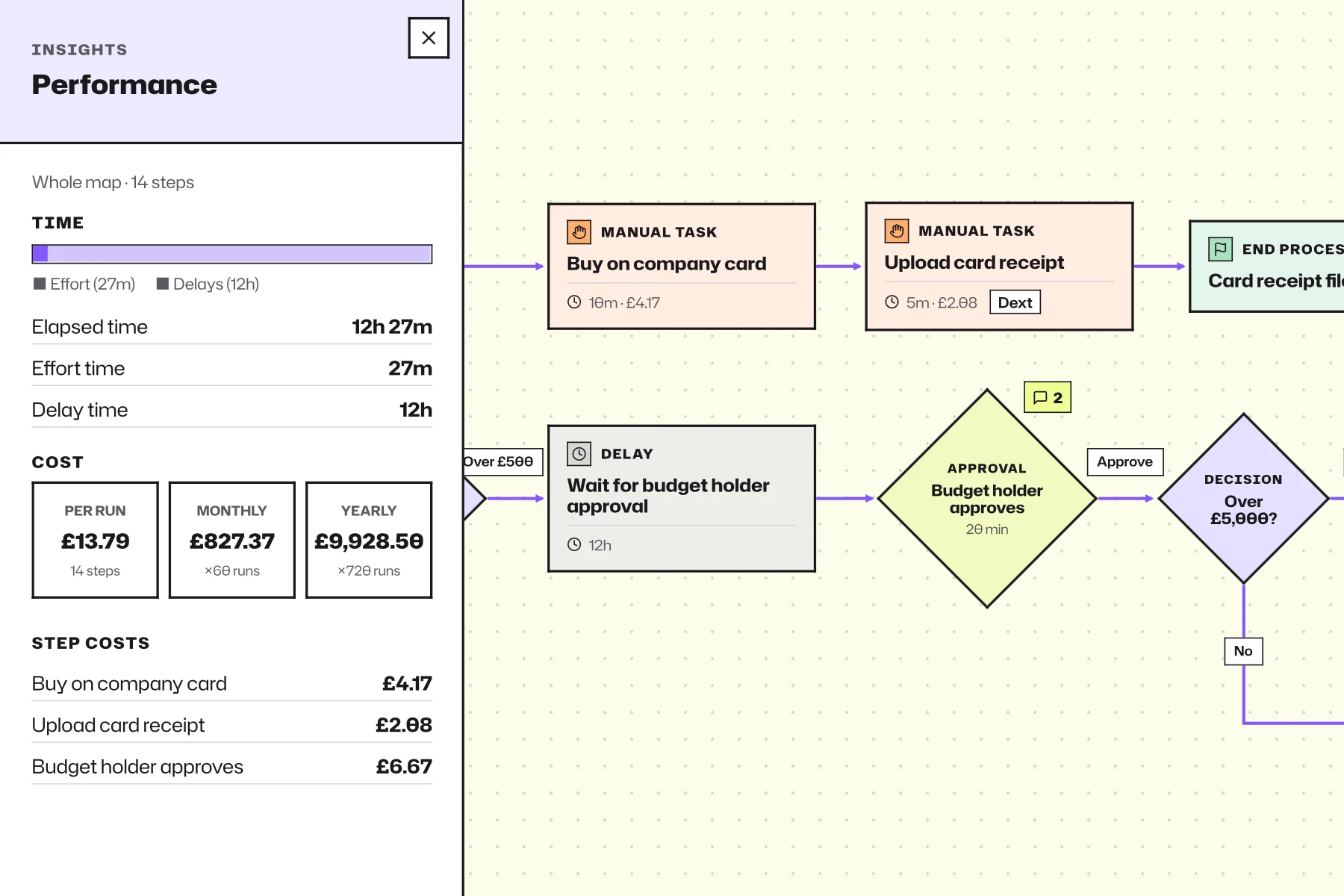
Understand the work behind the numbers.
Active effort and waiting
Separate hands-on work from time spent between steps.
People and workload
See where tasks repeat and responsibilities concentrate.
Systems and dependencies
Understand how mapped processes rely on tools and handoffs.
Improvement opportunities
Examine changes worth further investigation and their estimated implications.
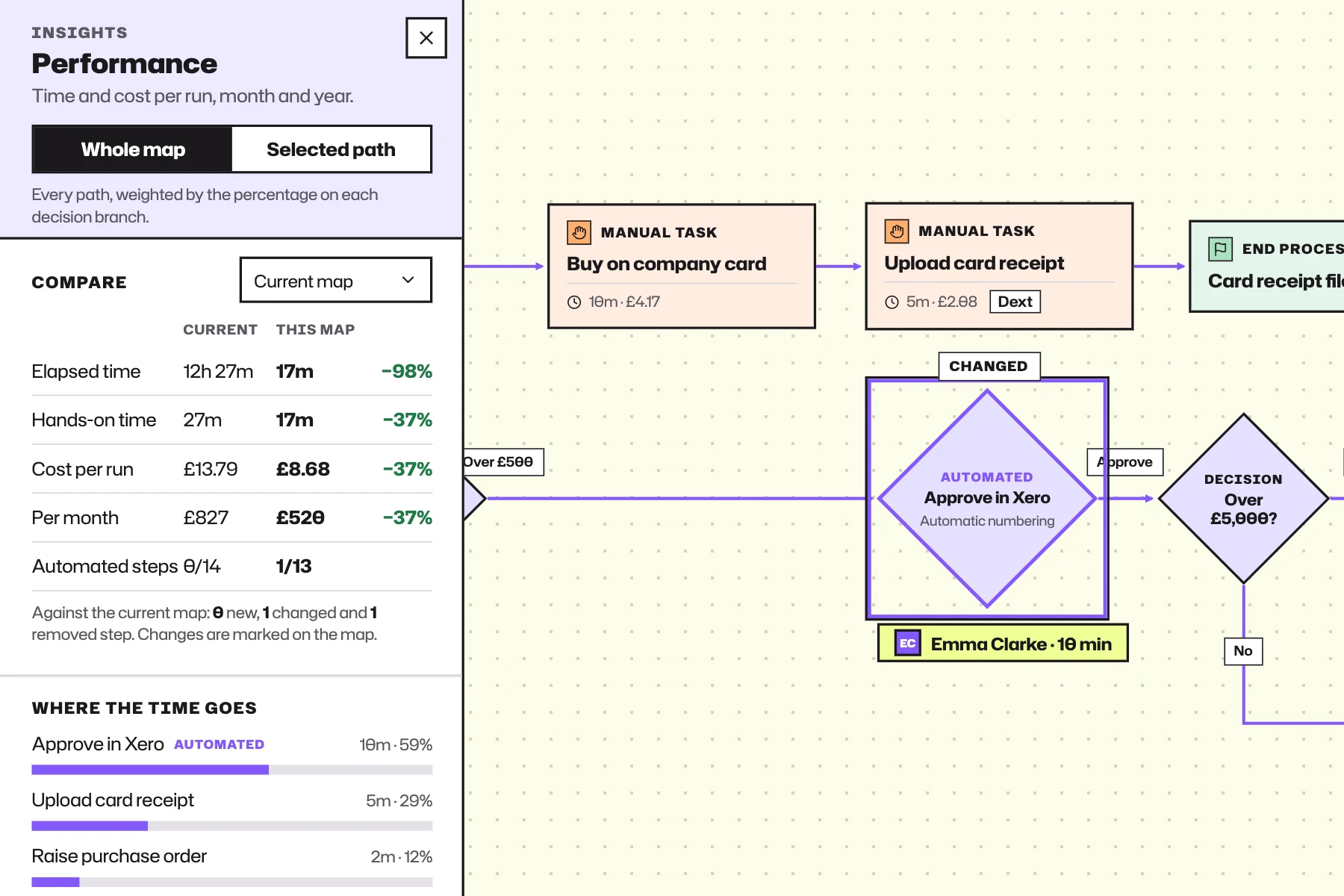
Show what changes between today and tomorrow.
Compare as-is and proposed processes to explore the effect of changes to steps, effort, waiting and estimated cost. Give decision-makers a clear basis for discussing options and assumptions.
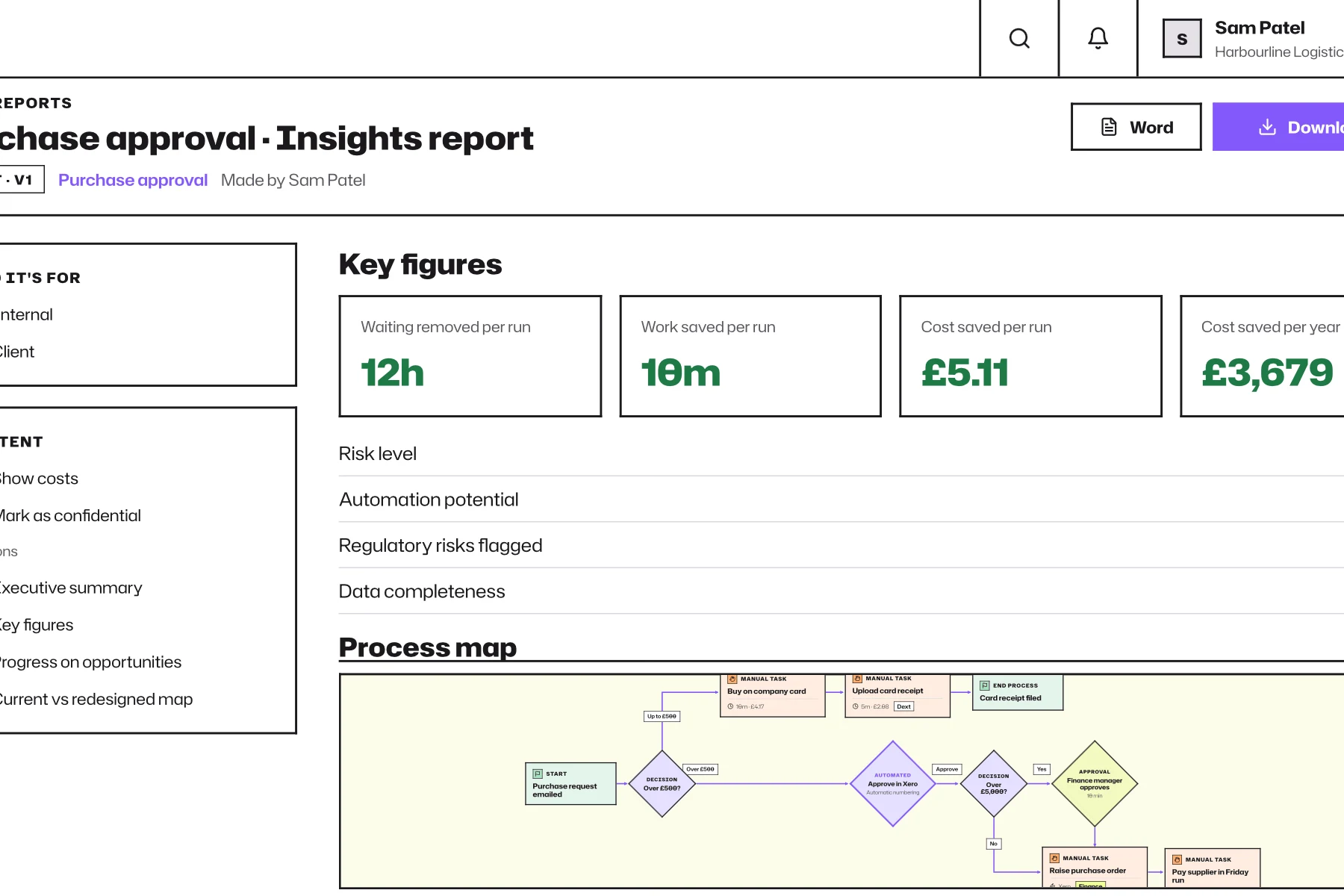
Make the report part of your professional service.
Choose the relevant sections, review the figures, apply your branding and produce a polished PDF or Word report. Share a read-only version and create new versions as the work develops.
Keep the findings useful after the presentation.
Track marked improvement opportunities and mapped time or cost trends as the workspace is updated. The investigation becomes a reference point for later decisions, not just a snapshot filed away.
Make your next engagement last beyond the report.
Capture the real work, connect the evidence and leave your client with a clearer understanding they can keep building on.